Hyper-V でゲストの IP アドレスを固定する
Hyper-V のネットワーク
Hyper-V を使っていて、ネットワークアダプタに Default Switch を使うと IP アドレスが変わったりすることがある。というか、このアダプタにつながっているネットワークのアドレスが変わったりする。 Default Switch だと DHCP で IP が振られたり便利なんだけど、ネットワークアドレスが変わると ssh でスッと接続できないとかあるので、仮想スイッチを追加してそれを使うことにする。
仮想スイッチ マネージャー
Hyper-V マネージャーで、「仮想スイッチ マネージャー」を開く。
「新しい仮想ネットワーク スイッチ」で種類は「内部」の仮想スイッチを作成する。名前は「内部ネットワーク」とした。
PowerShell を管理者で開いて、以下のコマンドを実行する。
 > New-NetIPAddress -IPAddress 172.16.192.254 -PrefixLength 24 -InterfaceAlias "vEthernet (内部ネットワーク)"
 > New-NetNat -Name "InternalNat" -InternalIPInterfaceAddressPrefix 172.16.192.0/24
実際のところ、アダプタの IP は GUI で設定した。というのも、作成したネットワーク アダプターの名前を確認したかったから。そのとき、ネットワークを設定できるじゃないかと思ってしてみたが、正解だったのか不明。結局、上記コマンドの 1 つ目実行時にすでにネットワークがあると怒られた。
仮想マシンの設定の「ネットワーク アダプター」の「仮想スイッチ」を作成したものに変える。
ゲストの IP の設定を適切に変更する。
サクッとはいかず、ルーティングされない問題が発生した。最終的に Windows を再起動してみたらルーティングされるようになっていた。いまだに再起動が必要なのか…
Traefik について
Traefik とは
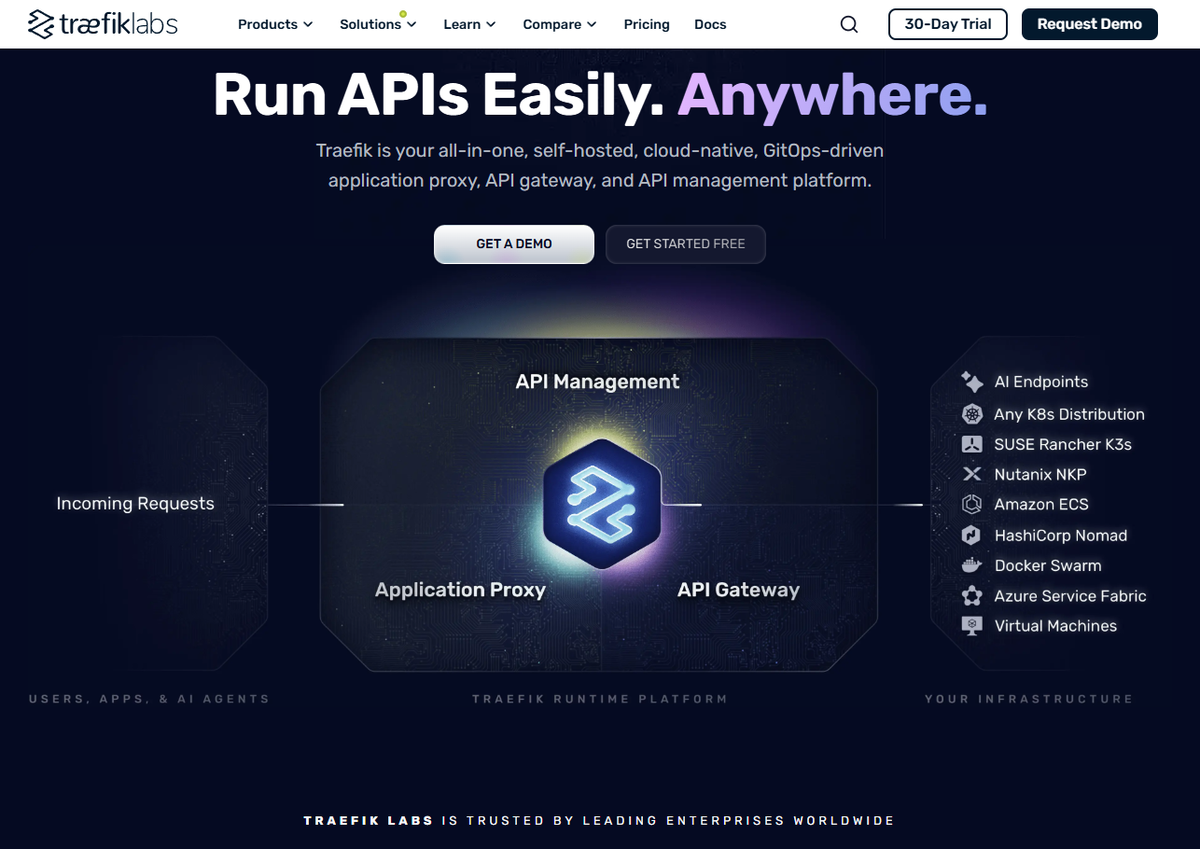
リバースプロクシを調べていて Traefik というものを見つけた。 アプリケーションプロクシ・API ゲートウェイ・API マネージメントができるもので、Traefik Labs という会社が開発しているもののようだ。
Docker でサービスを公開するとき、検出やルーティング、負荷分散を自動化できるというような文章を見たんで、そういうものなんだろう。Docker で port を 公開しているものを見つけてサービスとして認識して制御してくれたり、Let's Encrypt の証明書関連とかも楽だとか。
リンク
手順全体をなぞっている。なんか使っている他の部分のことと Traefik のことと混ざった感がある。 とりあえず。
nginx リバースプロクシコンテナのログのバグで移ったみたい。(笑)
さっき書いた「Docker でつくったサービスを自動的に読む」とかをやっている。
トラブル対応をまとめている。役に立ちそう。
はてな Blog を Markdown で書く場合
この記事は…
見出しレベル 2 から書いているんだけど、これで良いのかね?
HTML 的には、h1 が重なるのはどうかと思うが、ブロック要素の中では、そこでリセットして第 1 レベルからにしても良いとかあったような気がする。
WARNING: REMOTE HOST IDENTIFICATION HAS CHANGED!
OS を入れなおしたあとに openssh-server を入れてつなげようとすると WARNING: REMOTE HOST IDENTIFICATION HAS CHANGED! と言われる。~/.ssh/known_hosts に記録されているのと違うよってこと。以前はこんなコマンド入れて古いの消せよって出てきていたような気がする。
こんなたまにしか入力しないものは覚えているのが難しいのでメモしておく。
ssh-keygen -R '[
zsh-abbr
abbr を使えるようにする。
Rust をインストール
curl https://sh.rustup.rs -sSf | sh
~/.zshrc に以下を追加。
export PATH="$HOME/.cargo/bin:$PATH"
abbr をインストール
cargo install --git https://github.com/olets/abbr
zsh-abbr を sheldon に登録
sheldon add zsh-abbr --github olets/zsh-abbr
sheldon lock
sheldon source > ~/.zsh_plugins.zsh
~/.zshrc に設定を追加。
if [ -f ~/.zsh_plugins.zsh ]; then
  source ~/.zsh_plugins.zsh
fi

if command -v abbr >/dev/null 2>&1; then
  eval "$(abbr init)"
fi
一度、ターミナルを閉じて開きなおす(SSH の接続をし直す)。
abbr add 'gco=git checkout'
abbr add 'gstat=git status'

abbr list
zsh 上で gco␣ と打って git checkout に展開されれば成功 。
あとで
TaKO8Ki/awesome-alternatives-in-rust を確認して必要なものをインストールする。
samba
前の記事の仮想マシンへのファイル出し入れのため samba を入れる。
前提
SSH 接続のために、Hyper-V で内部ネットワークも追加した。 Windows 側で IP アドレスとネットマスクを調べて、Ubuntu に適用している状態。
本体のインストールと設定
sudo apt install -y samba
sudo pdbedit -a hoge
wsdd2 のインストール
`` sudo apt install -y wsdd2
ホストのネットワークの中に表示されない。

## 原因は?

vEthernet (Internal)(=前提で書いた内部ネットワーク)がパブリックネットワークになっていた。
Set-NetConnectionProfile -InterfaceAlias "vEthernet (Internal)" -NetworkCategory Private
でプライベートにしたら見えるようになったが、ホストがスリープしたりすると見えなくなったりする。
ZSH
Hyper-V の仮想マシンをつくり Ubuntu 24.04 を入れた。自分のプログラムの挙動を調べたり動きを調べたりするために使う。
Ubuntu 24.04 を入れた後に、openssh-server と avahi-daemon と vim-nox を入れた。作業用ユーザをつくり、ホストから SSH できるようにした。ホスト側の ~/.ssh/config に
Host hoge
  HostName hoge.local
  User fuga
な感じで追加。
zsh
zsh を使いたい。
sudo apt install -y zsh
chsh
# ~/.zprofile

if [ -d "$HOME/bin" ] ; then
    PATH="$HOME/bin:$PATH"
fi

if [ -d "$HOME/.local/bin" ] ; then
    PATH="$HOME/.local/bin:$PATH"
fi
# ~/.zshrc

# Set up the prompt

autoload -Uz promptinit
promptinit
prompt adam1

setopt histignorealldups sharehistory

# Use emacs keybindings even if our EDITOR is set to vi
bindkey -e

# Keep 1000 lines of history within the shell and save it to ~/.zsh_history:
HISTSIZE=10000
SAVEHIST=10000
HISTFILE=~/.zsh_history
setopt HIST_IGNORE_DUPS
setopt HIST_IGNORE_SPACE

# Use modern completion system
autoload -Uz compinit
compinit

zstyle ':completion:*' auto-description 'specify: %d'
zstyle ':completion:*' completer _expand _complete _correct _approximate
zstyle ':completion:*' format 'Completing %d'
zstyle ':completion:*' group-name ''
zstyle ':completion:*' menu select=2
eval "$(dircolors -b)"
zstyle ':completion:*:default' list-colors ${(s.:.)LS_COLORS}
zstyle ':completion:*' list-colors ''
zstyle ':completion:*' list-prompt %SAt %p: Hit TAB for more, or the character to insert%s
zstyle ':completion:*' matcher-list '' 'm:{a-z}={A-Z}' 'm:{a-zA-Z}={A-Za-z}' 'r:|[._-]=* r:|=* l:|=*'
zstyle ':completion:*' menu select=long
zstyle ':completion:*' select-prompt %SScrolling active: current selection at %p%s
zstyle ':completion:*' use-compctl false
zstyle ':completion:*' verbose true

zstyle ':completion:*:*:kill:*:processes' list-colors '=(#b) #([0-9]#)*=0=01;31'
zstyle ':completion:*:kill:*' command 'ps -u $USER -o pid,%cpu,tty,cputime,cmd'
sheldon
curl --proto '=https' -fLsS https://rossmacarthur.github.io/install/crate.sh \
    | bash -s -- --repo rossmacarthur/sheldon --to ~/.local/bin
sheldon init --shell zsh
ぶっちゃけ、補完の設定からちゃんとわかっていない状態なので、とりあえずサンプルにあったプラグインの組み込みをやってみる。
# ~/.config/sheldon/plugins.toml

[plugins.base16]
github = "chriskempson/base16-shell"
~/.zshrc の先頭に eval "$(sheldon source)" を追加。ターミナルを立ち上げなおすとエラー。メッセージをコピーしておくのを忘れたけど shell がどうとか言っている。
# ~/.config/sheldon/plugins.toml

shell = "zsh"

[plugins.base16]
github = "chriskempson/base16-shell"
と shell = "zsh" を追加。エラーは消えた。
最終的に、
# ~/.config/sheldon/plugins.toml

shell = "zsh"

[plugins]

# [plugins.base16]
# github = "chriskempson/base16-shell"

[plugins.zsh-defer]
github = "romkatv/zsh-defer"

[templates]
defer = "{{ hooks?.pre | nl }}{% for file in files %}zsh-defer source \"{{ file }}\"\n{% endfor %}{{ hooks?.post | nl }}"
PATH = 'export PATH="$PATH:{{ dir }}"'

[plugins.zsh-autosuggestions]
github = "zsh-users/zsh-autosuggestions"
use = ["{{ name }}.zsh"]

[plugins.zsh-syntax-highlighting]
github = "zsh-users/zsh-syntax-highlighting"

[plugins.zsh-completions]
github = "zsh-users/zsh-completions"

[plugins.powerlevel10k]
github = "romkatv/powerlevel10k"
で、
# ~/.zshrc

# Enable Powerlevel10k instant prompt. Should stay close to the top of ~/.zshrc.
# Initialization code that may require console input (password prompts, [y/n]
# confirmations, etc.) must go above this block; everything else may go below.
if [[ -r "${XDG_CACHE_HOME:-$HOME/.cache}/p10k-instant-prompt-${(%):-%n}.zsh" ]]; then
  source "${XDG_CACHE_HOME:-$HOME/.cache}/p10k-instant-prompt-${(%):-%n}.zsh"
fi

eval "$(sheldon source)"

ZSH_AUTOSUGGEST_HIGHLIGHT_STYLE='fg=8'

# # Set up the prompt

# autoload -Uz promptinit
# promptinit
# prompt adam1

[[ ! -f ~/.p10k.zsh ]] || source ~/.p10k.zsh

setopt histignorealldups sharehistory

# Use emacs keybindings even if our EDITOR is set to vi
bindkey -e

# Keep 1000 lines of history within the shell and save it to ~/.zsh_history:
HISTSIZE=10000
SAVEHIST=10000
HISTFILE=~/.zsh_history
setopt HIST_IGNORE_DUPS
setopt HIST_IGNORE_SPACE

# Use modern completion system
autoload -Uz compinit
compinit

zstyle ':completion:*' auto-description 'specify: %d'
zstyle ':completion:*' completer _expand _complete _correct _approximate
zstyle ':completion:*' format 'Completing %d'
zstyle ':completion:*' group-name ''
zstyle ':completion:*' menu select=2
eval "$(dircolors -b)"
zstyle ':completion:*:default' list-colors ${(s.:.)LS_COLORS}
zstyle ':completion:*' list-colors ''
zstyle ':completion:*' list-prompt %SAt %p: Hit TAB for more, or the character to insert%s
zstyle ':completion:*' matcher-list '' 'm:{a-z}={A-Z}' 'm:{a-zA-Z}={A-Za-z}' 'r:|[._-]=* r:|=* l:|=*'
zstyle ':completion:*' menu select=long
zstyle ':completion:*' select-prompt %SScrolling active: current selection at %p%s
zstyle ':completion:*' use-compctl false
zstyle ':completion:*' verbose true

zstyle ':completion:*:*:kill:*:processes' list-colors '=(#b) #([0-9]#)*=0=01;31'
zstyle ':completion:*:kill:*' command 'ps -u $USER -o pid,%cpu,tty,cputime,cmd'

ZSH_HIGHLIGHT_DIR="$HOME/.local/share/sheldon/repos/github.com/zsh-users/zsh-syntax-highlighting"
if [ -f "$ZSH_HIGHLIGHT_DIR/zsh-syntax-highlighting.zsh" ]; then
  source "$ZSH_HIGHLIGHT_DIR/zsh-syntax-highlighting.zsh"
fi
のようにした。zsh-syntax-highlighting の設定は ~/.zshrc の最後に入れる(compinit より後ろに入れる)のが必要らしい。
